
Objectives:
Use blue/green deployment to update an RDS instance from 8.0 to 8.4
Check replication status
Switch to staging (green) instance keeping DB endpoint
Fall back if application cannot work with 8.4
To perform a major version upgrade, it may be desirable to use blue/green deployment tool if you do not have a dedicated staging environment. Mysql versioning is organized as M.M.m where M is the major version and m is the minor. For instance, version 8.0.39 is in major version 8.0 and minor version 39.
The blue/green deployment tool sets up a clone of your database instance and setup database replication from the blue instance to the green instance. It also offer a switchover function which change the database endpoint to point to the new-blue instance. If your application connects to rds using the database endpoint, you don’t need to update your connection string.
I have a newly deployed RDS instance namely ordering. The database endpoint is
ordering.caf8bkp5vhz9.ap-east-1.rds.amazonaws.com. On this database, I have a books database and titles table. There is only 1 record in the table. Database engine version is 8.0.39
MySQL [books]> select * from titles;
+---------------+----------+
| name          | author   |
+---------------+----------+
| RDS for dummy | John Doe |
+---------------+----------+
1 row in set (0.000 sec)


MySQL [books]> show variables like 'server%id';
+---------------+--------------------------------------+
| Variable_name | Value                                |
+---------------+--------------------------------------+
| server_id     | 16897823                             |
| server_uuid   | c2d35492-abc7-11ef-919c-06264a56b739 |
+---------------+--------------------------------------+
2 rows in set (0.002 sec)

MySQL [books]> show variables like 'version';
+---------------+--------+
| Variable_name | Value  |
+---------------+--------+
| version       | 8.0.39 |
+---------------+--------+
1 row in set (0.003 sec)
Create blue/green deployment
On RDS console, select the database instance and create a blue/green deployment. I’m keeping the green instance version the same at this point. You can opt to change the database engine version, among other settings such as RDS optimized write when you create the blue/green deployment.
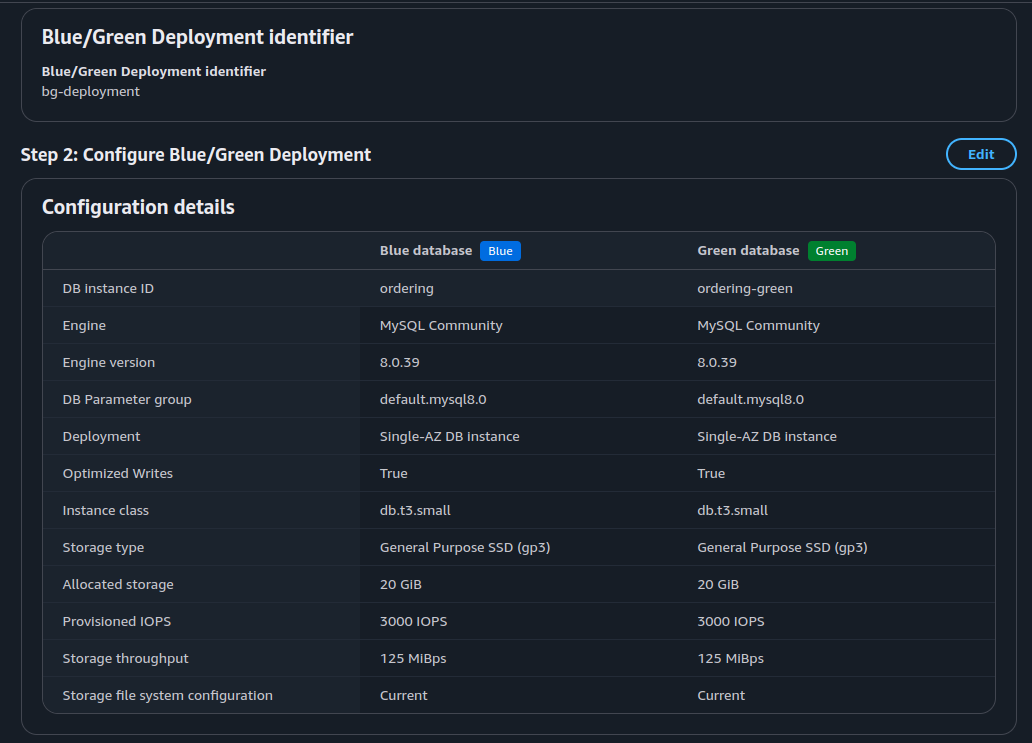
When completed, you’ll get the endpoint of the green instance. Replication status will show that the blue instance is replicating to the green.
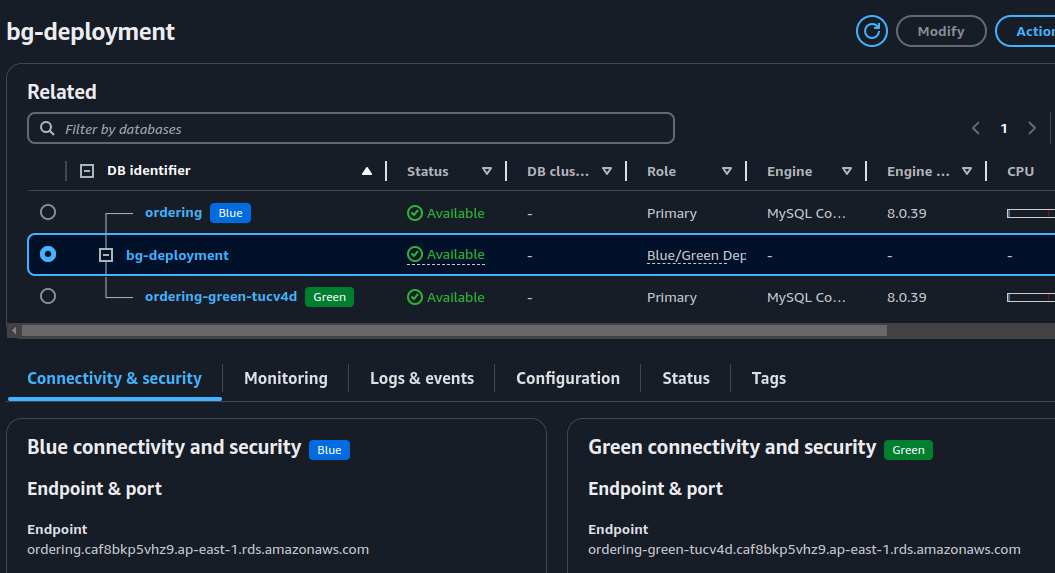
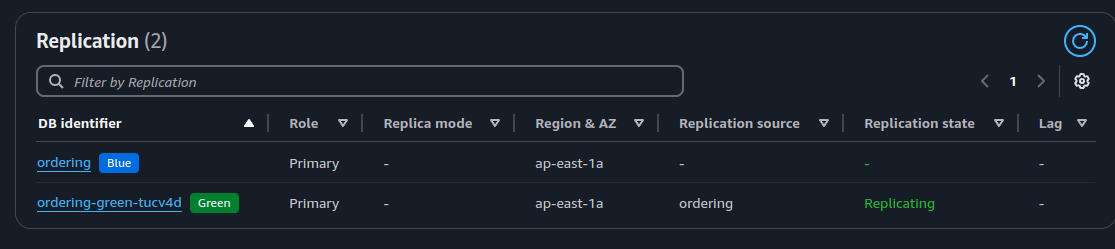
Now let’s check the green instance
MySQL [(none)]> show variables like 'server%id';
+---------------+--------------------------------------+
| Variable_name | Value                                |
+---------------+--------------------------------------+
| server_id     | 2017675008                           |
| server_uuid   | 9e938cc0-abcc-11ef-9354-062974023b2f |
+---------------+--------------------------------------+
2 rows in set (0.010 sec)

MySQL [(none)]> select * from books.titles;
+---------------+----------+
| name          | author   |
+---------------+----------+
| RDS for dummy | John Doe |
+---------------+----------+
1 row in set (0.004 sec)
At this time, you can make changes to the blue instance, and the changes will be replicated to the green instance.
Note that the green instance is running with the –read-only option. You cannot make DML changes to the green instance.
Upgrade the green instance
Select the green instance, modify its engine version to 8.4.3. When it’s done, I connect to the database and run some checks
MySQL [(none)]> show variables like 'server%id';
+---------------+--------------------------------------+
| Variable_name | Value                                |
+---------------+--------------------------------------+
| server_id     | 2017675008                           |
| server_uuid   | 9e938cc0-abcc-11ef-9354-062974023b2f |
+---------------+--------------------------------------+
2 rows in set (0.292 sec)

MySQL [(none)]> show variables like 'version';
+---------------+-------+
| Variable_name | Value |
+---------------+-------+
| version       | 8.4.3 |
+---------------+-------+
1 row in set (0.004 sec)
The upgrade seems successful, we are ready for next step.
Initiate switchover
If you have IAM policies restricting access to your RDS instance, you will need to edit them and add the ARN of the green instance before you initiate a switchover. This is not handled by the blue/green deployment tool.
To initiate a switchover, select the blue/green deployment > actions > switchover. Here is my switchover preview.
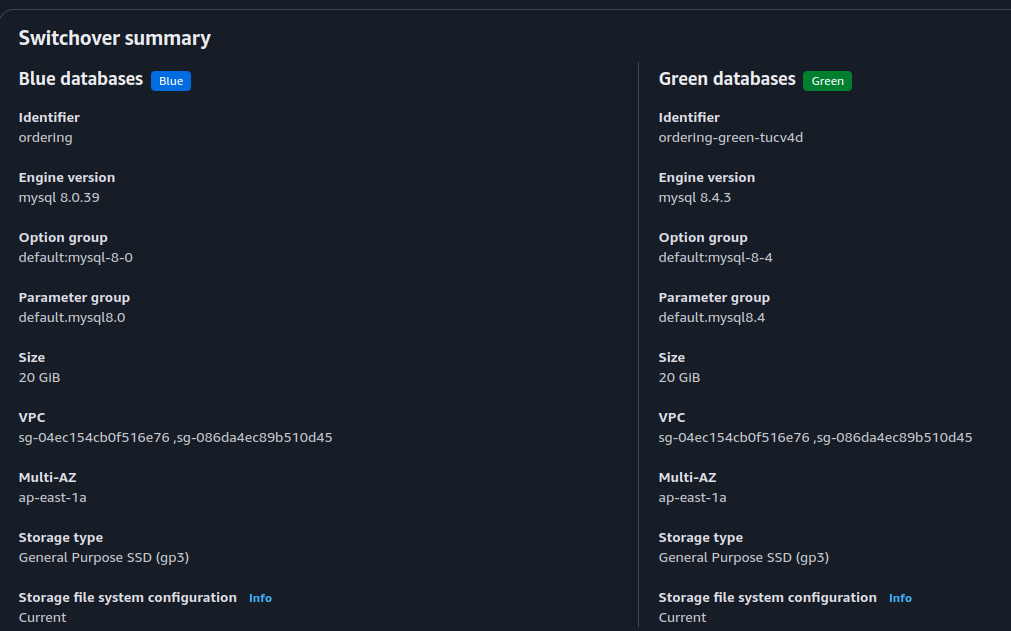
When the switchover is completed, you will see this
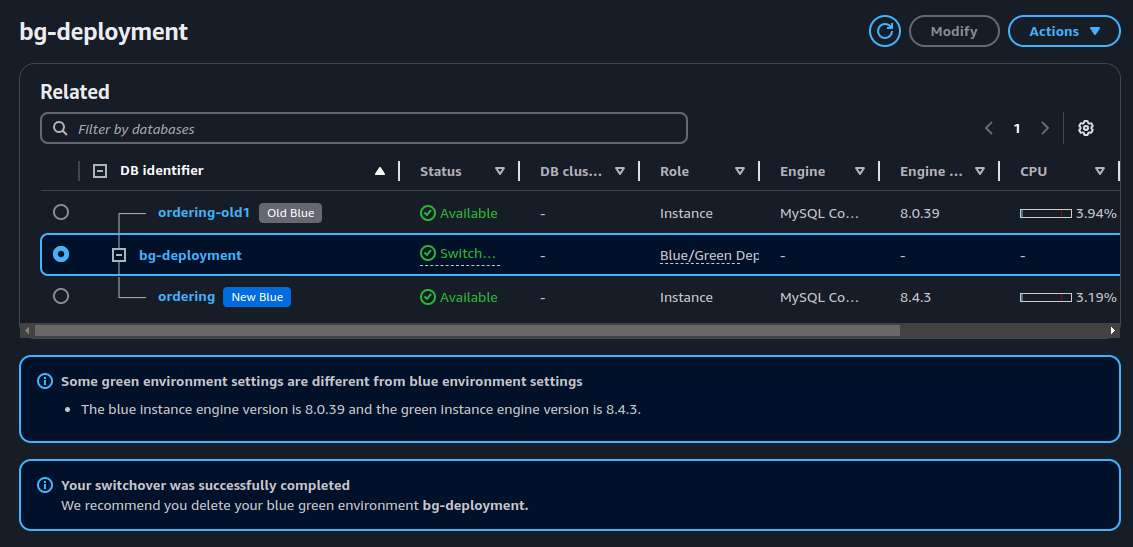
The switchover action performs the following:
1. Swapped blue green instances. The db endpoint of blue will point to green.
2. Terminate database replication
Confirmed ordering.caf8bkp5vhz9.ap-east-1.rds.amazonaws.com now points to the upgraded instance (old-green):
MySQL [(none)]> show variables like 'server%id';
+---------------+--------------------------------------+
| Variable_name | Value                                |
+---------------+--------------------------------------+
| server_id     | 2017675008                           |
| server_uuid   | 9e938cc0-abcc-11ef-9354-062974023b2f |
+---------------+--------------------------------------+
2 rows in set (0.011 sec)

MySQL [(none)]> show variables like 'version';
+---------------+-------+
| Variable_name | Value |
+---------------+-------+
| version       | 8.4.3 |
+---------------+-------+
1 row in set (0.002 sec)

MySQL [(none)]> show replica status;
Empty set (0.000 sec)
Finish the blue/green deployment
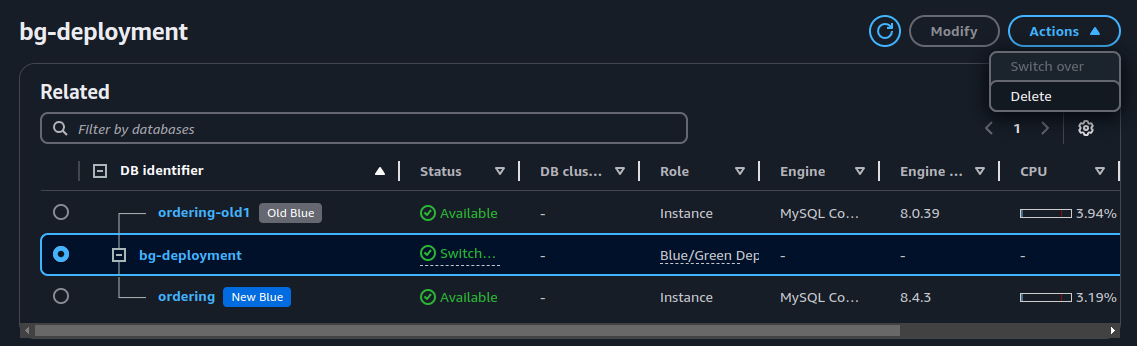
The next step is to delete the blue/green deployment. Select bg-deployment > actions > delete
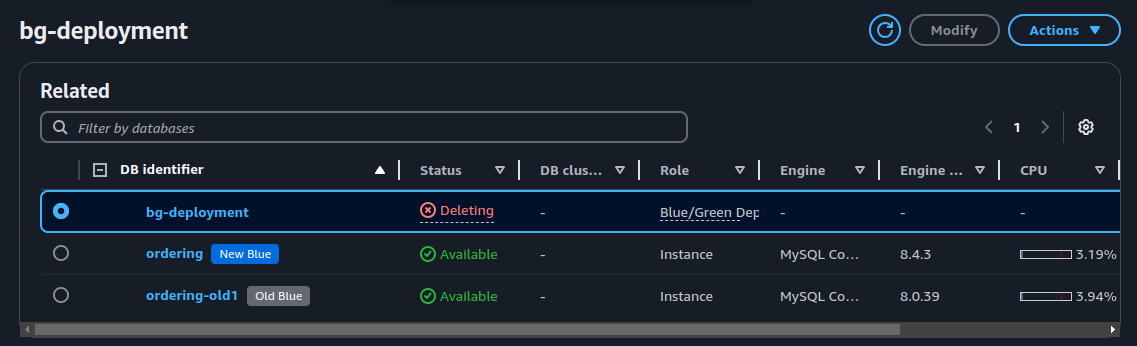
When complete, you will end up with 2 db instances
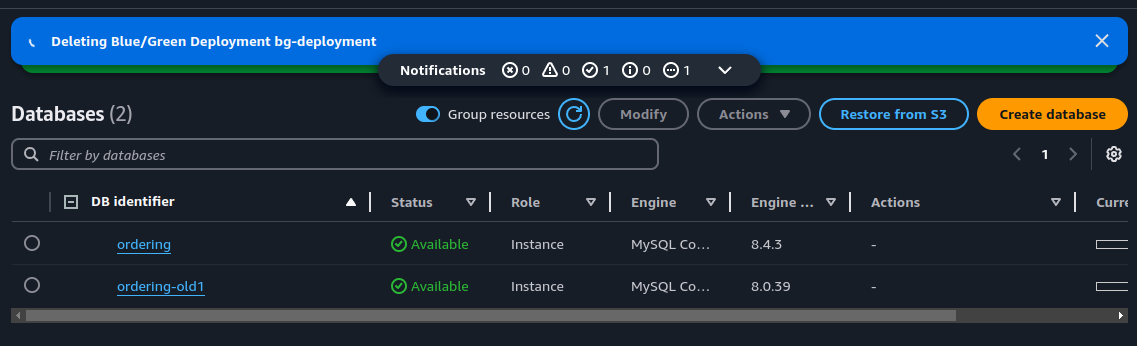
The blue notification on top about deleting blue/green deployment doesn’t seem to go away. But you will see bg-deployment disappearing.
Complete the change or fall back
If your app works fine on the upgraded instance, delete the ordering-old1 instance. If your app does not work, delete the ordering instance. Then rename the ordering-old1 instance back to ordering. That should also restore the database endpoint to original.
