
Please note that the following steps work on volume without bitlocker.
Step 1: Identify the affected EC2 instance.
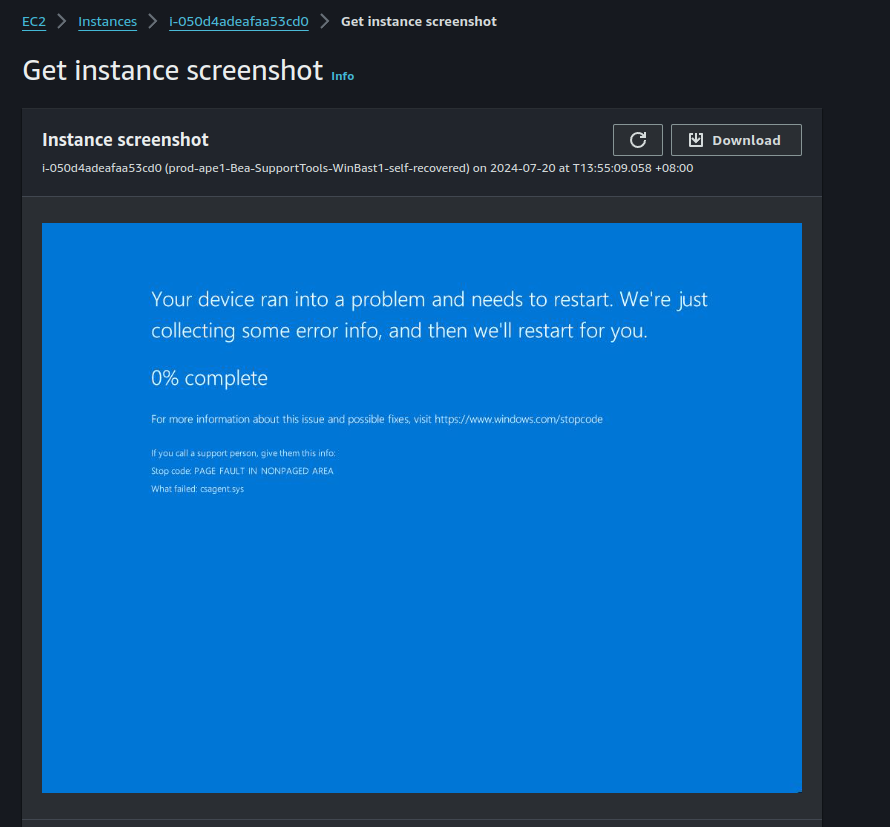
On AWS console > EC2 > Instance, Click Actions > Monitor and troubleshoot > Get system screenshot to open the console, and you should see a blue screen like this. When it reaches 100%, the OS would reboot and crash again.
Step 2: Stop the instance
Click on Instance state > Stop instance
Then click on Instance state > Force stop instance
It may take a good few minutes to finally stop the instance.
Step 3: Take a snapshot of the OS volume
With the affected instance selected on EC2 console, go to the Storage tab below. Click on the volume id.
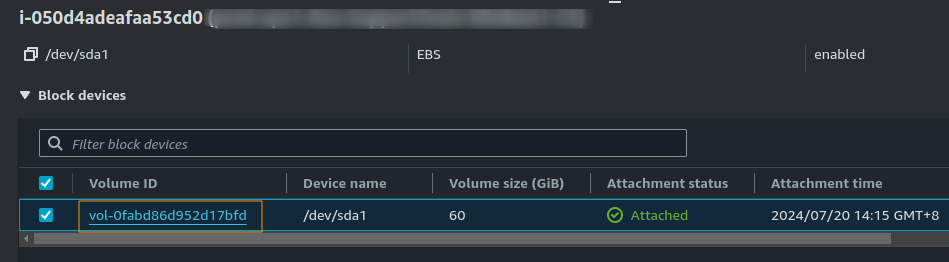
In the volumes console, select the volume, click Actions > Create snapshot. Give it a description and click Create snapshot.
Step 4: Move the disk to a Linux instance
With the volume select in the volumes console, click Action > Detach volume.
Refresh the volumes console
Click Action > Attach volume
Select the Linux instance, and select /dev/sdg as the device name
Step 5: Mount the filesystem and disable the problematic driver
ssh to the Linux instance, run lsblk. You should see the disk nvme1n1 in the output.
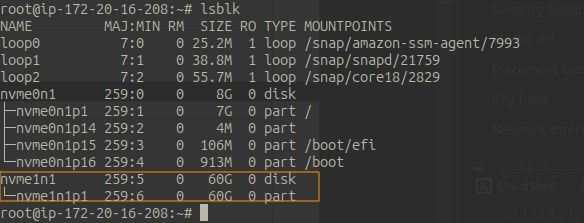
Mount the filesystem under /mnt/windows
mkdir /mnt/windows
mount /dev/nvme1n1p1 /mnt/windows
If the mount command returned error about NTFS filesystem not consistent, run ntfsfix
umount /mnt/windows
ntfsfix /dev/nvme1n1p1
ntfsfix -d /dev/nvme1n1p1
mount /dev/nvme1n1p1 /mnt/windows
With the filesystem mounted, go to the CrowdStrike driver directory, rename the problematic driver, and unmount the volume.
cd /mnt/windows/Windows/System32/drivers/CrowdStrike
for i in `ls C-00000291*.sys`; do mv -v $i ${i%.*}.disabled; done
cd /; sync; umount /mnt/windows
Step 5: Move the disk back to the Windows instance
Go back to AWS console, refresh on the volumes page, and detach the volume.
Attach it back to the Windows instance. For device name, choose /dev/sda1
Start the instance back up.
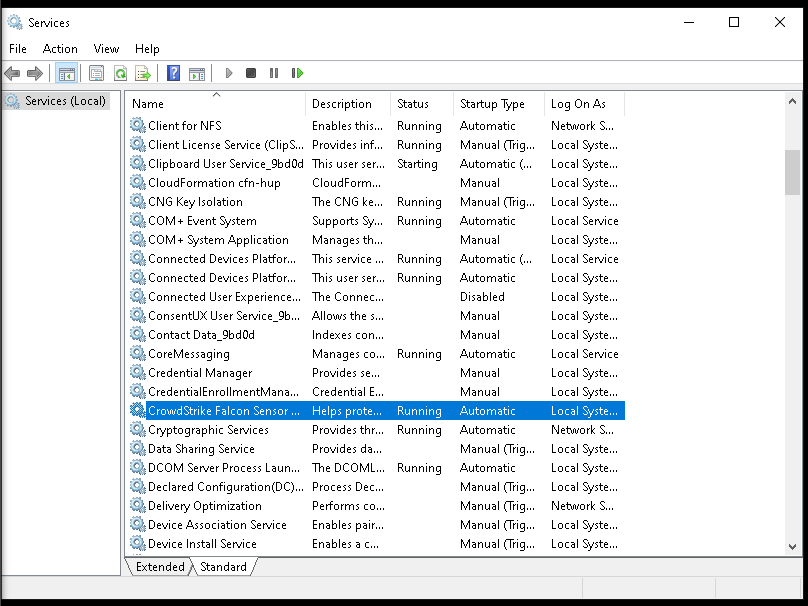
RDP to the instance, check the status of CrowdStrike Falcon Sensor. It should be in Running state. This fix removes the problematic “channel file”. Subsequent patch or update to CS should be applied automatically by CS. You don’t want to leave your Windows OS unprotected.
Additional Notes
For the linux instance, if you don’t already have one in the same AZ as the affected Windows instance, you can launch a new one. I used Ubuntu as it comes with NTFS support and tools. But you can use any Linux distro.
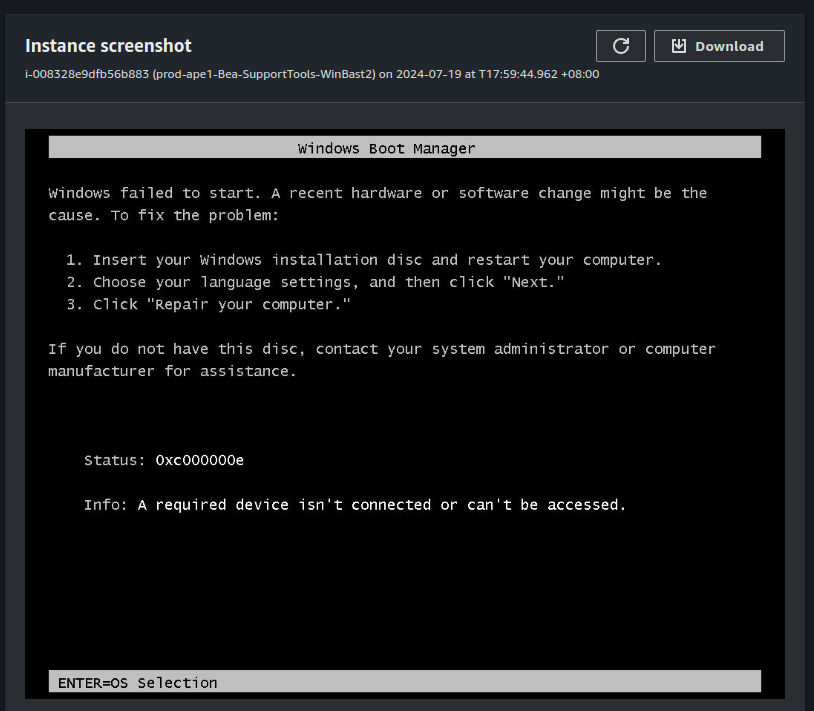
Initially, I tried to mount the volume on another Windows instance. While I was able to mount the volume and delete the driver file, the volume could not boot anymore. Possibly because the disk signature was changed or the volume was marked offline. On the instance console, I got this error.
In the past 20+ years, things just keep reassuring me that moving to Linux is absolutely the right decision. Even for a simple operation like mounting a filesystem and renaming a file, Linux does a better job than Windows. If you are still using Windows or Microsoft in general, this is yet another wake up call.
Hot links
